CUSTOMER PORTAL
How to use our customer portal?
DISCOVER HOW TO SEARCH FOR AN INGREDIENT, VIEW ITS DETAILED PRODUCT PAGE, AND ACCESS RELATED DOCUMENTS OR FORMULATIONS.
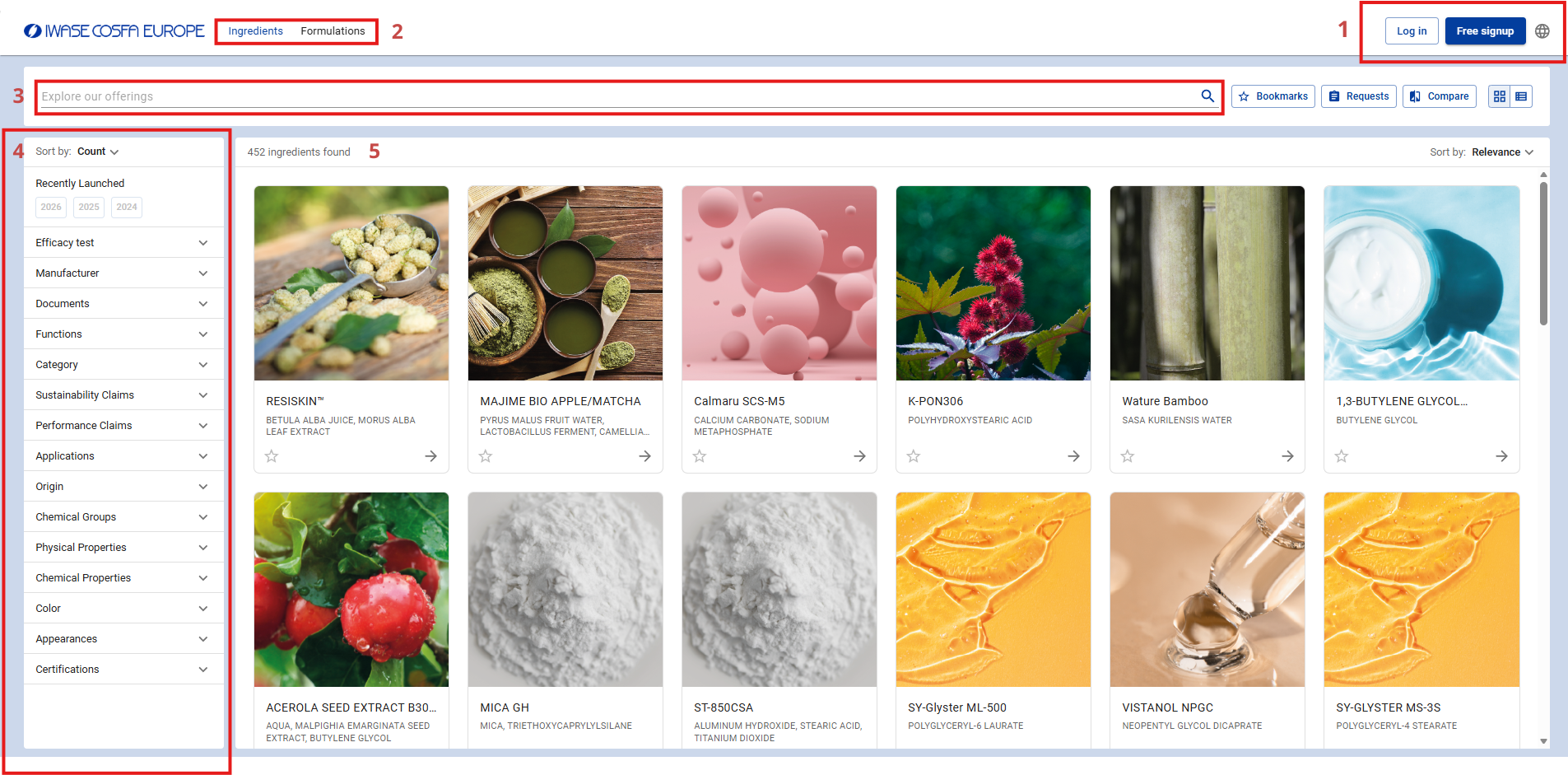
Welcome to our ingredient catalogue. This page allows you to easily search for ingredients, explore our formulations, and quickly access product information.
- In the top-right corner, you can sign in to an existing account or create a new one. This gives you access to the different features available on the platform.
- At the top of the page, there are two sections: Ingredients and Formulations. The first allows you to browse our full ingredient portfolio, while the second gives you access to the formulations we offer.
- The search bar allows you to quickly find a specific ingredient, formulation, or product by entering a name, keyword, or reference number.
- On the left-hand side, several filters help you refine your search. You can select criteria such as supplier, colour, appearance, certifications, origin, chemical properties, applications, or performance claims.
- The results are displayed in the centre of the page as product cards.
With these tools, the catalogue helps you quickly identify the ingredients best suited to your needs.
VIEWING AN INGREDIENT PAGE
When you click on an ingredient, you are taken to its detailed product page. This page provides the main product information, along with the actions available to you.
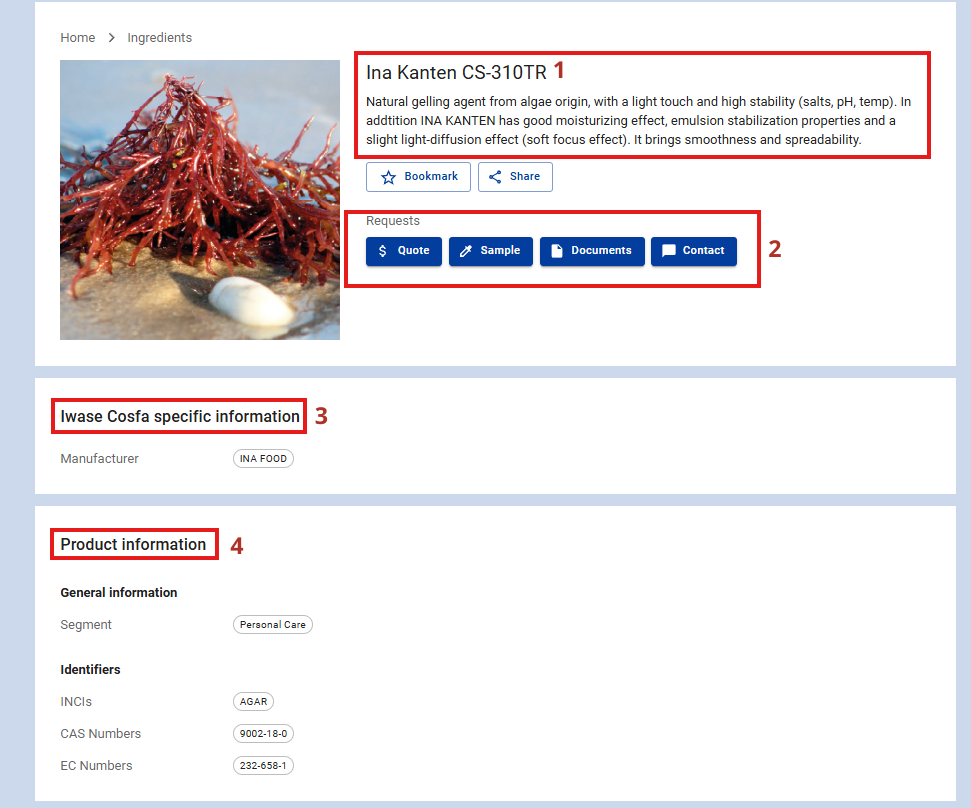
- At the top of the page, you will find the ingredient name and a brief description outlining its key characteristics, origin, and benefits.
- Below this description, several actions are available: add the product to your favourites, share it, request a quote, request a sample, view available documents, or contact our team.
- The Iwase Cosfa specific information section contains product-specific details, such as the manufacturer.
- The Product information section then provides more detailed information about the ingredient. It is divided into two parts: General information, which includes general product details, and Identifiers, which includes identification data such as the INCI name, CAS number, or EC number.
This page allows you to quickly review the essential information for an ingredient and submit any necessary requests from the same place.
ACCESSING RELATED DOCUMENTS AND FORMULATIONS
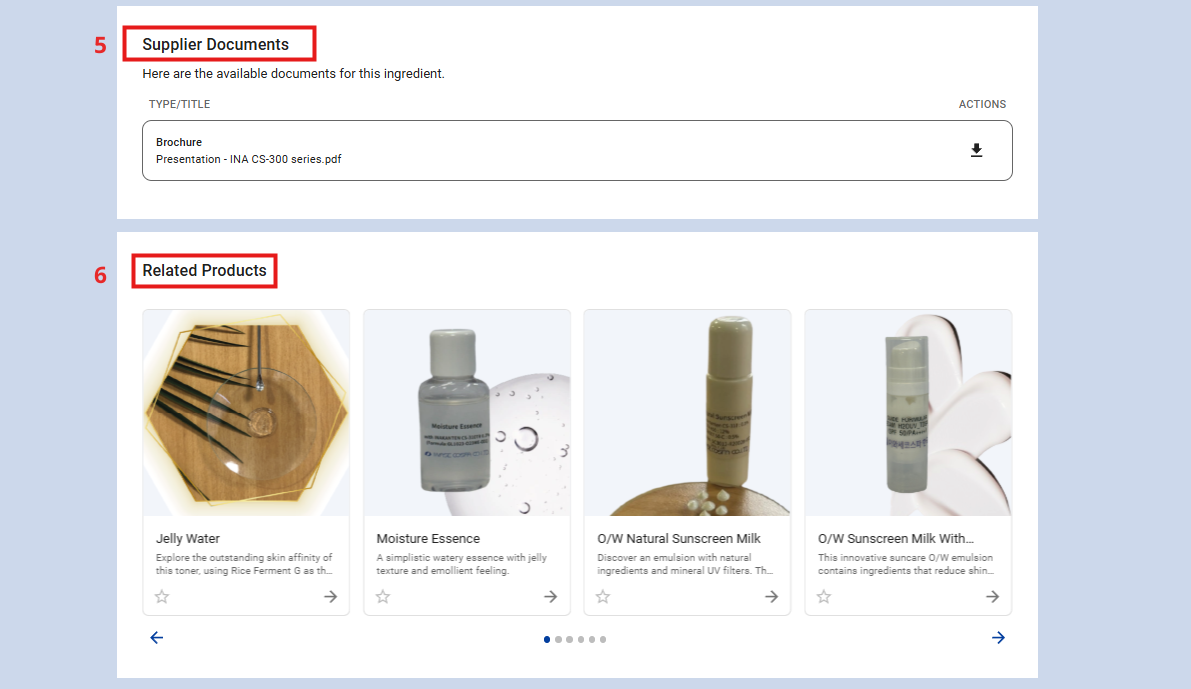
5. Further down the ingredient page, you will find the Supplier Documents section. This contains the documents available for the ingredient, such as supplier brochures or presentations. These documents can be downloaded directly from the page.
6. The Related Products section displays the formulations in which the ingredient is used. This allows you to explore application examples and better understand how the ingredient can be incorporated into different formulations.